Friday, 31 August 2012

More pain: captchas

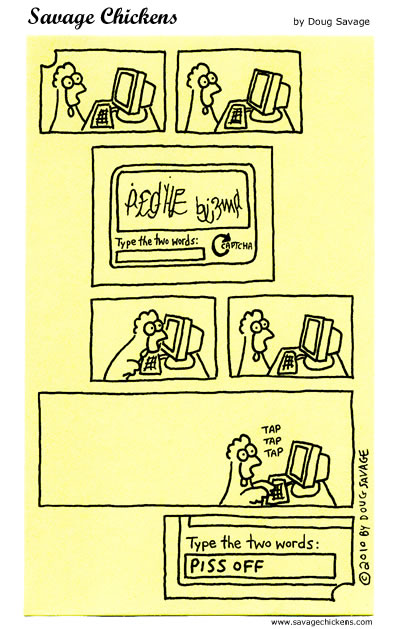
Captchas are those things where you have to decipher some illegible text and type it in. They are a pain and I'm sure most people wonder why on earth they are there. The answer is, as usual, well known to the tech community but a mystery to normal folks. It is to solve what is essentially vandalism - preventing spam robots flooding systems with junk.

Of course the vandals are finding their way round captchas through the use of better image recognition technology, hence the increasingly illegible text, and by the use of minimum-wage humans somewhere in a cold warehouse deciphering the damn things all day.

Despite that captchas are still quite effective which is why they appear on almost all major sites. They have one huge advantage: there is no need for prior information about you. They are a guard that can precede registration or fit nicely into a casual process such as commenting.

Ever tried logging into Facebook from a new or recently-cleaned computer? It feels like you're challenged by the triple heads of kerberos: password, captcha, then the ultimate test: identifying people in your and your friends photos. A brilliant mechanism but it relies on having access to names and faces ruling it out for the vast majority of systems.

Secret questions are good too, as long as you know what they are. One e-commerce site I used once and wanted to use again challenged me to to give it my secret answer - without telling me the secret question. And of course I have no idea which of a range of questions I used!

Sadly we are faced with a need for something like captchas to protect against the invading spamming hordes and that's going to be a pain for the foreseeable future. Blending of mobile with web potentially gives systems the ability to validate identity on the other channel, but that requires disclosure of information and doesn't work on mobile alone. Identity management is an interesting area and one with a lot of scope for growth, especially in the consumer space.

Thursday, 30 August 2012

Password pain

Continuing from yesterday's security there, I'm going to pick up on two real pain points: passwords today and captchas tomorrow. Workers in IT will have literally hundreds of them to use on everything from wifi access points to secure rooms containing building security back office machines. There's no way they can store them all hence the rise in apps that help store passwords hopefully securely. Prior to that people wrote them down or kept them in text files.

A long time ago when working on steam-driven machines we had to use double, 16-character automatically generated passwords that changed every two weeks, usually on five to ten dev and test systems. (It was a hardware company, we had lots and lots of toys.) The only way was to keep them stored somewhere and the most common solution was the equivalent of Notepad and then copy/past them into the remote logins. Hopefully nowadays people in equivalent positions use KeePass.

Normal people, on the other hand, probably don't know about such tools or, more importantly, realise they need them. I doubt we've moved much forward from the scene in 1983's WarGames where the school secretary keeps a list of passwords in her desk drawer.

While normal users are probably aware that they should not use obvious passwords and all the rest, they probably don't know why. Probably just as well if they did they would probably avoid the services.

On the other hand maybe they should know. I registered on a well-known ERP vendor's website to access some reports yesterday - it asked for a 6 to 8 letter password, letters and numerals only. And you want people to spend millions on big backends based on clearly a VARCHAR(8) password store?

But my least favourite of all these systems are the partial passwords used by financial companies, most notably as part of the 3-D Secure from Visa and MasterCard. These ask for different letters of your password, usually giving away the length of the password at the same time: please enter the third, fiftth and tenth letter of your password. I defy anyone with a decent password to be able to do that without writing it down first, blowing away the shoulder surfing risk reduction. Meaning that your password is now available to snoopers at both the consumer end and the backend where it can only be stored in cleartext to allow a check of that nature. And that means it is only as secure as the vetting process on the database engineering team.

The only glimmer of hope in this arena is the growing use of Facebook, Twitter, Google and others as means of logging people in without the need for the entry of passwords. Facebook offers really good authentication due to its vast collection of photos that it will require you to identify. Google offers two-factor authentication with mobile which is inconvenient but reasonably secure. While Twitter hasn't quite reached those levels yet; at least there don't seem to be any exploits.

Sounds mad that a social media platform is more secure than the banks, but there you have it. Perhaps your internet banking service should authenticate with Facebook. Stranger things have happened.

Wednesday, 29 August 2012

Security and the common man

A friend of mine posted a link to this article today: The Importance of Security Engineering. It's an interesting appeal for the creation of a more formal approach to security, even the creation of a proper security profession, although the author isn't quite clear how about the right way to achieve that. His point wasn't really that - it's just that most people don't understand security - probably security of anything, but especially information systems. We know this to be true since most people don't understand the basic elements of the systems let alone the security aspects.

Security is generally about complexity and constraints, being represented as encryption and policies in IT. Unfortunately people don't like either of these things and therefore try and do without them for as long as possible: let's face it, security is a hassle. But not having any will be even worse as it will end in disaster, either falling foul of some exploit or, possibly worse, the law. Increasingly credit card issuers are doing their best to push responsibility back on users and governments are regulating access and management of user data. Protection is needed as an individual and a corporation.

Complexity has been at the root of locks since they were first invented, trying to keep one step ahead of the pickers. However locks have a second, almost magical effect: they imply security without necessarily actually offering it. A massive lock on the back of a castle door didn't just make it more difficult to open, it made the owner feel better protected and probably put off the softer marauders. A modern-day example of this is the pathetic little things that luggage manufacturers insist on providing with their products. One slight tug and they break, but they provide a degree of comfort to the owner. A lock symbol provides a sense of comfort to users, but sadly nothing to deter attackers who are likely to be a long way away.

Policies are all about doing things properly and protecting sensitive assets, the electronic equivalent of not leaving your wallet on a cafĂ© table or making sure that documents are safely locked up. The mathematical complexity of encryption has nothing on the nefarious complexity of assessing potential exploits and both are definitely in the realm of specialists. Most policies are like airport security theatre and only protect against threats that have already been tried. Serious protection comes from thinking like a black hat and exploring each and every avenue from which your systems could be attacked.

There are specialists who will do this for you, but even they haven't always thought through all the myriad ways that mobiles can be added to the mix. Nobody has. So we have to attempt to instill in users a sense of precaution, even an element of fear, to ensure that mobile end points are at least handled properly. We're just at the beginning of this process and there's a lot of FUD, especially from vendors with weak solutions to nebulous problems. You should be assessing how you are protected, whether a consumer or an enterprise mobility manager; a little investment will give a big return.

Tuesday, 28 August 2012

The surprise jealousy of BYOD

When IT dishes out the same low-spec, end-of-life device, be it phone, laptop or desktop, to everyone there is little scope for jealousy. That's one of the advantages of uniform, as well known by schools in particular.

Move to a model where each can provide their own device. What happens to people who may need a top-end model for work, but can't afford one? Especially when senior management, who can afford the latest toys, are provided with phones that they don't use or understand.

This is the jealousy conundrum of allowing free use of personal consumer devices at work. And your mobile policy had better address it, starting with needs analysis.

This is particularly useful when it comes to tablets, where nobody really needs one yet but it might make a useful addition to the fleet of toys. A good way to smoke this out is to ask whether someone is willing to give up their laptop in exchange for a tablet. Most of them will suddenly reconsider how important it would be to them.

I've found a matrix mapping tasks to needs to devices is incredibly helpful. You can use this to define the priorities for each device. Adding whether the task touches sensitive data, if relevant, and you have the beginnings of a simple risk assessment table too.

Monday, 27 August 2012

Not over yet

There has been an impressive amount of thoughtful writing over the weekend about the on-going Apple-Samsung patent trials. I haven't seen too many fanboys crowing about it, but that might just be that I've not read the places where they write. And in any case it would be far too early for them to claim that iThis and iThat have conquered all.

Last week we saw both a Solomon-like judgement in South Korea where some phones both Apple and Samsung were banned for infringing each others IP, followed by a curiously one-sided result from the US.

I don't have any doubts that in the early stages of developing their amazing Galaxy line Samsung did indeed copy the lumpen iOS interface. I remember avoiding certain Samsung phones precisely because they did look like iPhones, however the things that are being quoted as being copied clearly have prior art, and that's disturbing.

At least the jury ruled that consumers could tell Galaxy tablets and iPads apart. A small element of common sense in the noise, especially when there are tablets on the market that really are physical copies of the iPad design down to the logo on the back.

What's also interesting is that it would seem that the jury didn't follow the judges instructions properly, and that alone is cause for an appeal if not a retrial. One of them has been quoted as saying he wanted to punish Samsung - not a very balanced sounding comment and demonstrates how the trial, inevitably, turned into a circus.

Apple's blind rage against Android and actual belief could lead it into unexpected trouble. One is that the result has apparently worked as an endorsement of Samsung devices: just as good but much cheaper, seems to be the message. The other one is that, having provisionally established that a rectangle with curved edges can be claimed by one company, that same stick can be used to beat Apple. And the recent Motorola claims are now reinforced.

The real winners are, of course, the lawyers, and the losers are consumers who will probably have to pay more for phones and tablets. More importantly, small companies with good ideas are also losers asit seems them have no protection under the current US patent regime.

Friday, 24 August 2012

Camera+Cloud = Long-term security risk

While it is now clear to the whole world that what happens in Vegas no longer stays in Vegas, the problem of rapid and often automatic uploading of images is something that needs concern everyone. Phone cameras have long been of concern to security officers but attempts to ban them in the workplace have largely failed outside of military or heavily regulated premises. While holding images of work documents and information on the phone was bad enough, but now many people with smartphones will have some automatic cloud upload enabled.

I've used phone, tablet and real cameras extensively for years to record white boards, and recently there has usually been a crowd of people doing the same. Save taking notes and provides an undebatable, ambiguous record of at least what was written down. It means that whiteboards can be wiped down immediately which seems like a good, secure thing to do.

Having those images immediately available on the laptop is handy too - it means that you can type them up easily, email them to colleagues or upload them to project tools like Huddle, IdeaPlane or Chatter. Or accidentally upload them to Facebook along with little Suzy's birthday party pictures.

And once on the cloud - whether public or private - they stay there. Until recently Apple's iPhoto Stream did not even allow deletion of images. DropBox automatically uploads images, as do other similar services. Android has Instant Upload for Google+. So a typical personal iPhone with access to a personal DropBox, work-related Egnyte, and a configured Photo Stream could end up with at least three copies of the photo. At least because each of those services will diligently copy the file to each and every device on which it is configured: laptop, desktop, tablet.

Apple's Photo Stream is a particular issues here as deleting a copy from one device does not remove it from the others in the same way the file-sharing systems work. A user with an iPhone, iPad and Macintosh will have to delete the same image three times making it easy to leave some alone. Android's Instant Upload is a little easier in that it only creates an on-line copy but again this will not be removed when the handset copy is deleted.

Unlike the Minox-totting secret agent most staff will be blissfully unaware of this, but consider disgruntled employees coming across a forgotten shot on a confidential whiteboard on their own iPad having returned a work iPhone. Lots of potential for trouble.

Since the BYOD cat is out of the bag in many companies, certainly for senior staff who can afford smartphones, it is now clear if prevention is possible. Reminders, education, policy and contractual protections all help until better management tools arrive.

Thursday, 23 August 2012

Mobile security risks: carelessness

There are a lot of scary reports about mobile security risks, usually promoted by companies offering solutions to the alleged problems. Most FUD is targeted at Android because it allows apps more freedom. However most people ignore the most obvious risk: owner carelessness.

The biggest risk for any mobile device - phone, tablet or laptop - is loss or theft. And while theft is a large risk, simple carelessness is the biggest one. When we were working on mobile betting apps the biggest risk we identified was simply leaving the phone on a table in a bar while going to the toilet and friends larking about it with it.

While a number of solutions have been envisaged to stop you losing a phone, the simplest approach is to ensure that it itself is protected with a password or pin and a timeout. You may still lose the phone, but at least people can't get into it.

From an enterprise point of view it is possible to enforce security for email protocols (Microsoft Exchange does this, for example), but it is equally important for consumers. Do you really want someone picking up your phone having access to your Facebook and email?

So far I've never lost my phone - although I've had the occasional panic - but I was convinced of the need for protection a couple of years ago as the amount of information invested in my device rose above a certain threshold. I use a seven digit security code which is quick and easy to type, certainly much easier than having to re-enter passwords in each app. This is one of the basic anti-carelessness protections I've written into IT mobility policies, especially for BYOD, and recommend to everyone.